monitor, status, stop
One Saetta server runs on a Mac at a time. These commands look at it and stop it, whichever way it was started (saetta serve, or saetta start for an agent).
saetta monitor | status | stop # live view, state, stopsaetta monitor
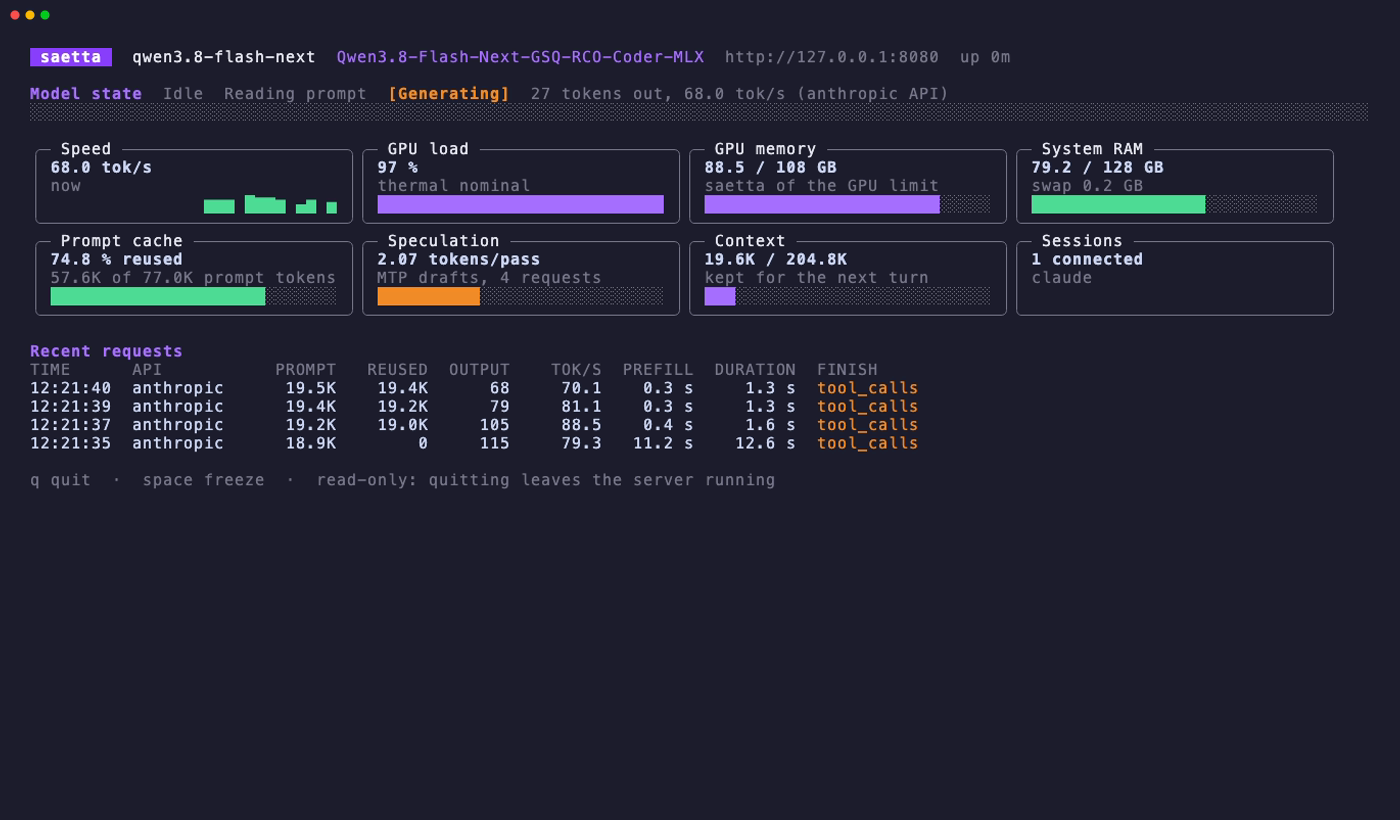
saetta monitor shows the server live, full screen: model state, speed, GPU load, memory, prompt cache, speculation, sessions and recent requests.
| key | effect |
|---|---|
r | recent requests |
c | conversations |
l | the server log |
| space | freeze or resume the view |
q, Esc, Ctrl+C | quit |
saetta monitor --once prints one frame and exits, with --conversations or --log for those panels. Inside Saetta Code the same view is /monitor.
saetta status
$ saetta status
saetta: server running, pid <pid>, http://127.0.0.1:8080 (auto)
  model    qwen3.8-flash-next (<pack>), context <n> tokens, up <n> min
  state    <state>, <n> requests, <n> conversation(s) kept
  GPU      <n> of <n> GB
  sessions <n>: claude (pid <pid>), pi (pid <pid>)
auto means the server was started by saetta start and stops with its last session; manual, by saetta serve. A server started with saetta start --keep stays up with no session. With no server, saetta status prints saetta: no server is running.
saetta stop
saetta stop stops the running server (waiting up to 30 s for it to finish).
Logs
A server started by saetta start logs to ~/Library/Logs/saetta/serve-<port>.log; saetta serve logs to the terminal. Each request prints a request: line with prompt tokens, reused tokens, prefill and decode times. Saetta Code's own log is ~/.saetta/code.log.